
RAG Architecture: How a Production RAG System Actually Works

By
Tom Dallimore
Published

RAG Architecture: How a Production RAG System Actually Works
A RAG demo is ridiculously easy to make look clever. Upload a PDF, ask a question, get the right answer back and everybody nods as if the hard part is finished. Lovely. Then you put it in front of real users. Company data is messy, documents change, people ask vague questions, the retrieval layer grabs the wrong chunk and your very confident LLM starts quoting a policy that died six months ago. Welcome to production RAG.
Answer First: What Is RAG Architecture in 2026?
The short version: RAG architecture is the plumbing between a user query and a grounded answer. Instead of relying solely on static training data, a RAG system goes looking for relevant information in external data sources, adds that retrieved context to the prompt, and lets the language model answer from something fresher than whatever happened to be baked into its training data.
And this is the bit people often undersell. A modern RAG architecture is not just ‘LLM + vector database’. That is the demo version. A real RAG implementation has ingestion, document chunking, document embeddings, indexing, a retrieval layer, semantic search, prompt engineering, generation, source attribution, logging and evaluation. Every one of those pieces can make your answer better, slower, cheaper, more expensive, or completely useless.
Why bother with all of that? Because external data changes. Your internal documents, support content, prices, policies and regulatory filings do not politely freeze on the day your LLM model was trained. Retrieval augmented generation gives large language models access to up to date information without retraining the model every five minutes. It also makes source attribution possible, which is a rather big deal when somebody eventually asks, ‘Where the hell did that answer come from?’
RAG Fundamentals: Retrieval-Augmented Generation Explained
A normal LLM answers questions from what it already knows. RAG adds information retrieval before generation. The system searches external knowledge, finds relevant documents, and gives that relevant data to the model before it answers. NOTE: If you have seen an SEO tool spit out the phrase ‘retrieval augmented generation RAG’, yes, it means the same thing. The wording is ugly. The idea is not.
If you’re still at the “what the hell is RAG?” stage, I’ve got a full RAG explained guide that covers how it works, the benefits, examples and the basics without going this far into the plumbing.
At its simplest, a RAG workflow has five moving parts. None of them are particularly magical:
A user submits a question. That is the original user query and the user input your system needs to understand.
The system turns the user’s original query into a query embedding, which is basically a numerical representation of its semantic meaning.
The retrieval layer searches external data, a vector database, external knowledge bases or other data sources for relevant chunks that match the query embedding.
RAG retrieves relevant documents, collects the best retrieved data, and builds an augmented prompt using the original query plus that retrieved context.
The LLM model reads the relevant context and produces a coherent answer. If you have built it properly, that means generating accurate, relevant responses instead of making something up with impressive confidence.
Imagine HR has a handbook that changes every few months. Someone asks, ‘How much partner adoption leave do I get?’ The system embeds the question, finds the current policy section, and gives that passage to the model. The direct answer comes from the current document, not from static data the model vaguely remembers. If there is no relevant information, it should say so. That refusal is a feature, not a failure.
End-to-End RAG Architecture Overview

Production RAG processes are basically a chain of boring-but-important steps. This is good news, because boring steps can be measured and fixed. I normally think about the architecture as eight stages:
Data sources: PDFs, wikis, websites, databases, APIs, support tickets, CRM records and other internal or external sources.
Ingestion and normalization: turn messy structured data and text data into something your retrieval system can actually use.
Document chunking: split large datasets and long documents into retrievable pieces without murdering the context.
Document embeddings and indexing: use an embedding model to create numerical representations and store those vectors in a vector database.
Retrieval layer: turn the user query into a query embedding, run vector similarity search and, where useful, combine it with keyword or hybrid search.
Prompt engineering and grounding: package the retrieved documents, metadata and instructions into an augmented prompt.
LLM model generation: ask the model to answer questions using the supplied relevant context rather than wandering off into its own imagination.
Logging and evaluation: track retrieval quality, factual accuracy, response quality, cost, latency, LLM responses and user feedback.
Before any user query arrives, most of the heavy lifting has already happened. Documents have been cleaned, chunked, embedded and indexed. Then the request arrives, context retrieval kicks in, the model gets its prompt, and the answer comes back. Latency can pile up at embedding, retrieval, reranking and inference. Cost can come from indexing, stored vectors, external services and model calls. This is why production RAG is an architecture problem, not just a model-selection problem.
Data Sources & Ingestion: Feeding External Knowledge into RAG
Real company data is a mess. You might have clean Notion pages sitting next to scanned PDFs, database rows, support tickets, web pages, spreadsheets and a folder called FINAL_final_v7_USE_THIS_ONE.pdf. Production RAG systems need to pull all of that external knowledge into a consistent retrieval pipeline without stripping away the useful structure.
Freshness matters too. Some external sources can update nightly. Others need near real time data retrieval because yesterday’s answer is already wrong. Customer service chatbots, for example, might need new data from product docs and support systems quickly so they can keep grounding responses in up to date sources. The ingestion job is to turn all of this into clean text data while preserving headings, tables, timestamps and other structure that helps retrieval later.
Then there is the boring grown-up stuff: permissions, versioning, ownership, deletion and PII. If Alice can read a document and Bob cannot, your RAG system needs to respect that during retrieval. Metadata should tell you where a document came from, who owns it, when it changed and whether it is still valid. Otherwise your shiny AI assistant eventually becomes an extremely efficient way of leaking internal documents.
Chunking & Document Embeddings
Document chunking sounds trivial until it ruins your retrieval quality. Large language models can accept big contexts, but that does not mean you should dump massive datasets into every prompt and pray. You need chunks small enough to retrieve precisely, but large enough to keep the idea intact. Split a table from its header or a paragraph from the sentence that explains it and semantic search has a much harder job.
Fixed-size chunks are easy. Structure-aware chunks are usually smarter. I prefer starting with headings, paragraphs, lists and document boundaries, then testing whether overlap actually helps. There is no holy 512-token number that magically works for every dataset. If you want the deeper version of this, I cover it in the RAG performance guide too, because chunking is one of the fastest ways to either improve a RAG system or quietly destroy it.
Once you have chunks, an embedding model turns each one into a vector. Those document embeddings are numerical representations of semantic meaning, which lets the vector database compare ideas instead of only matching exact words. The database holds the stored vectors, and when documents change you may need to re-embed them. Better embeddings can improve retrieval, but they can also add cost and latency. As usual, there is no free lunch hiding in the architecture diagram.

The Retrieval Layer: From Query Embedding to Relevant Information
This is the part I would obsess over first. When a user query arrives, the retrieval model creates a query embedding and searches the index for relevant chunks. Vector similarity search is great when the wording changes but the semantic meaning is similar. If the user asks ‘What is our parental leave policy?’ and the document says ‘family leave entitlement’, semantic search can still connect the two.
But pure semantic search is not always enough. Exact IDs, product codes, financial tickers, clause numbers and weird internal acronyms can make dense retrieval look stupid very quickly. Hybrid search combines semantic matching with lexical search so you get the flexibility of vectors without pretending exact words no longer matter. In practice, a retrieval layer that can choose the right approach is usually more reliable than blindly forcing every query through one search method.
Retrieval quality is where a huge amount of RAG performance is won or lost. If the wrong relevant documents go into the prompt, the world’s best language models are now being asked to confidently reason over the wrong evidence. Tune the retrieval layer before you start swapping models every afternoon.
k value: retrieve enough relevant chunks to get good recall, but not so many that you flood the model with noise.
Score thresholds: reject weak matches instead of pretending every result is relevant data.
Metadata filters: use date, document type, permissions and other structured data to narrow the search.
Reranking: re-score the first batch of results so the most useful relevant documents actually reach the prompt.
Permissions belong here too. A good RAG system filters what can be retrieved based on the user, workspace or account before the answer is generated. Do not retrieve sensitive company data and hope the prompt tells the model not to mention it. Security rules should exist in the retrieval layer, not as a polite suggestion to the LLM.
Prompt Engineering & Grounding: Building the Augmented Prompt
Once retrieval has done its job, the retrieved documents need to become an augmented prompt. Good prompt engineering here is less about writing some mystical paragraph and more about being painfully clear: here is the relevant context, here is the question, here are the rules, and here is what to do when the context does not contain the answer.
Grounding responses means telling the model to use the retrieved context, preserve source attribution, and admit when the evidence is missing or conflicting. This is how RAG reduces inaccurate responses. You are not making the model omniscient. You are giving it better evidence and stricter rules about what it is allowed to claim.
A few formatting choices make this far easier to control:
Label the sections clearly: Context, Question and Guidelines. Boring? Yes. Effective? Also yes.
Separate each retrieved document so the model can tell where one source ends and another begins.
Include metadata such as document title, owner, date and URL so source attribution survives the trip through the prompt.
Limit the prompt to the relevant chunks you actually need. More context is not automatically better context.
If sources conflict, tell the model to surface the conflict instead of silently choosing whichever one it read last.
Back to the HR example: if the retrieved context says the policy changed on 1 March, include the effective date and source with the chunk. If nothing matches, return something like, ‘I could not find a definitive answer in the current policy documents.’ That is vastly more useful than an accurate-sounding guess.

Generation Layer: The LLM Model in a RAG System
The generation layer gets far more attention than it deserves. The LLM model takes the retrieved documents plus the original user query and turns them into a readable answer. RAG enhances language models with domain specific information, but the model is still downstream of everything you have already done. Garbage retrieval in, beautifully worded garbage out.
You can use frontier APIs, smaller models, open models, fine-tuned models or a mixture. The right choice depends on response quality, latency, cost, privacy and how much reasoning the task actually needs. If data residency matters, keeping the model closer to your infrastructure may beat using the fanciest API. If the task is simple, using a huge model because it has the biggest benchmark number is just an expensive hobby.
For factual work, I normally keep generation fairly constrained. Lower temperature can reduce creative drift, but do not treat temperature as an anti-hallucination button. Factual accuracy still depends on the evidence you retrieved, the instructions you supplied and whether the model can recognize when it does not know enough.
Conversation history needs the same discipline. Multi-turn chat does not mean dragging every previous message into every request forever. Summarize what matters, keep the relevant context, and drop stale turns. Otherwise your carefully built RAG workflow slowly turns into a very expensive scrapbook.
Advanced RAG Architectures: From Naive to Agentic
RAG architecture is a spectrum. Start simple, then add complexity when production data gives you a reason. I know that is less exciting than drawing a 47-box agent diagram on day one, but it is also considerably easier to debug.
Naive RAG is one retrieval call followed by one generation call. No query rewriting, no reranking, no second attempt. For straightforward FAQ-style questions, that can be a perfectly reliable approach. You do not get extra points for making a simple problem look like a PhD thesis.
Hybrid and corrective RAG adds things like dense plus sparse search, metadata filters, reranking and validation. If the answer is not grounded in the retrieved context, the system can search again, change the query, or refuse. That is useful when one-pass context retrieval starts producing too many inaccurate responses.

Agentic RAG goes further. An orchestrating model can break a hard request into sub-questions, choose external knowledge sources, search again, call tools like SQL or web search, compare evidence and only then generate the final response. This makes sense when users ask genuinely messy questions that one retrieval pass cannot answer properly.
My rule: do not jump to agentic RAG because it sounds cooler. Add it when your logs show that the simpler RAG implementation is failing on multi-step questions, cross-document reasoning or tool-heavy tasks. Complexity should solve a measured problem. Otherwise you are just manufacturing more places for things to break.
Evaluation, Monitoring & Source Attribution

This is the section I wish more RAG architecture diagrams included. A production RAG implementation without evaluation is basically vibes with a vector database. You need to know whether the system retrieved the right evidence, whether the LLM responses stayed grounded, what each request cost, and where response quality started falling apart.
Retrieval quality: precision@k, recall@k, MRR, nDCG, hit rate, or whatever metric actually reflects your retrieval job.
Answer groundedness: can the claims in the answer be traced back to the retrieved context?
Factual accuracy: is the answer actually correct, not just fluent and confident?
Latency: track end-to-end time plus the slow stages inside embedding, retrieval, reranking and generation.
Cost: measure the full RAG workflow, including model calls, embedding, retrieval services and any external tools.
Offline evaluation gives you repeatable test cases. Build a set of questions, expected sources and expected behaviour, then run it whenever the system changes. Benchmarks and RAG evaluation frameworks can help, but your own queries matter more than somebody else’s leaderboard. A support bot should be judged on support questions. Revolutionary stuff, I know.
Online, log the retrieved chunks, prompts, LLM responses, source attribution, cost, latency and user feedback. Then watch what happens when new data enters the index. Retrieval quality can drift because the documents changed even though you did not touch a single line of application code.
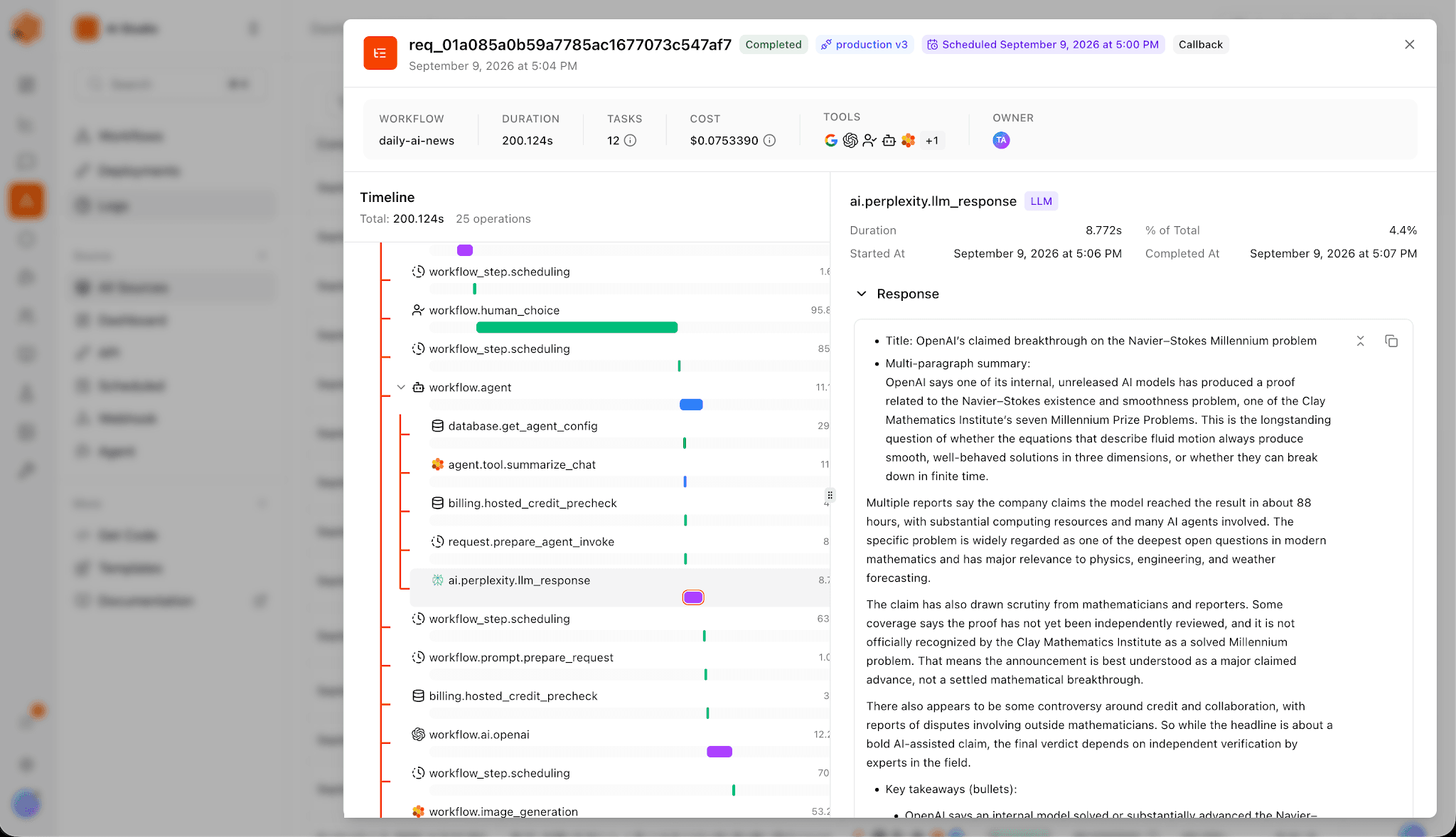
WARNING: Shameless self-promotion incoming. This obsession with tracing is a big reason I built Fetch Hive. If I run an agent or RAG workflow, I want to see the model calls, tool calls, costs, failures and what actually happened instead of getting a mysterious green check mark. Production AI gets much easier to improve once you can see the boring bits underneath it.
FROM ARCHITECTURE TO ACTION
Build a RAG workflow you can actually inspect.
Create a RAG agent with your own documents in Fetch Hive. Follow model and tool calls in its traces, see costs and failures, and use what you learn to improve the workflow.
Common RAG Design Mistakes & How to Avoid Them
Most bad RAG systems are not destroyed by some exotic research problem. They are usually killed by very ordinary decisions:
Using one default chunk size for everything, even when it slices headings, tables and logical units in half.
Over-retrieving because k=20 feels safer than k=5, then wondering why the prompt is full of noise and the bill went up.
Ignoring metadata, which makes filtering by date, owner, document type or permissions almost impossible.
Treating the index as static even though new data, deleted files and changed documents are arriving constantly.
Writing weak grounding instructions and then blaming the model for inaccurate responses when it was given ambiguous or irrelevant context.
I would fix those problems in roughly this order:
Clean the ingestion pipeline first. Remove junk, preserve useful structure, handle permissions and make sure old documents actually disappear.
Improve document chunking and document embeddings, then test the results against real user queries.
Tune semantic search, hybrid retrieval, reranking and metadata filters inside the retrieval layer.
Tighten prompt engineering so the model cites sources, handles missing context and refuses when it should.
Only then start swapping the LLM model. Model choice matters, but upstream fixes often give you a much larger improvement for considerably less drama.
If you remember one thing from this article, make it this: the LLM is only one component of RAG architecture. Most of the interesting engineering happens before and after it. Fix the data, retrieval and measurement first.
Real-World Trade-Offs & When RAG Is the Right Tool
Every RAG workflow is a trade-off between accuracy, latency, cost and engineering complexity. Retrieve more relevant documents and you may improve recall but increase noise. Add reranking and response quality may improve while latency gets worse. Use a larger embedding model and your semantic search may improve while indexing gets more expensive. There is no perfect architecture, only a set of choices you can actually measure.
RAG works particularly well for internal knowledge assistants, research, developer documentation, customer service chatbots and other systems that need domain specific responses based on internal documents or external knowledge that keeps changing. It is also useful when users need a direct answer with citations instead of being told to go search six separate data sources themselves.
I’m only touching on the applications here because this article is already long enough. If you want the practical side, I’ve covered 7 real-world RAG use cases in more detail, including customer support, enterprise search, research and data analysis.
RAG can also be overkill. If your information is tiny, static and already easy to search, building a vector pipeline because everybody on LinkedIn said ‘RAG’ this week might be unnecessary. Fine-tuning can help with style, behaviour and domain vocabulary. RAG is better when the problem is access to relevant documents and up to date information. Sometimes you use both.
The final takeaway: start with the simplest RAG system that can answer the job reliably. Instrument it. Watch retrieval quality. Look at the retrieved data. Check source attribution. Measure latency and cost. Then let real user queries tell you where the architecture needs to get smarter. The teams that build good production RAG are not the ones with the fanciest diagram. They are the ones who can see why an answer was good, why it was bad, and what to change next.
Share this post


